Skip to content

VisionVix Academy — Learn Anything, Step by Step

AI-Guided Learning · Step by Step

Learn Anything.
With VEX AI Agent By Your Side.

Structured modules, real UI mockups, key term glossaries, and a VEX AI coach that knows your course — all in one beautiful learning platform.

5
Guides
30+
Steps
100%
Interactive
Step 1 · Page 1 of 6
Next.js to Localhost
1
Delete Old Folder
2
Unzip New File
3
Open PowerShell
4
Install Dependencies
5
Start Dev Server
6
Open Your Site
🏆 Section Quiz
Step 1: Delete Old Folder
Find the old my-app folder, right-click, delete. Starting fresh avoids node_modules version conflicts.
Tip: First time? Skip straight to Step 2 — there’s nothing to delete yet.
🔑
Key Term
node_modules
Auto-generated dependency folder. Delete when switching versions to avoid conflicts.
⚠️
Don’t rename the folder
Keep the exact folder name. Renaming breaks import paths and config references.
Progress
0/6 · 0%
Key Terms
npmPackage manager for JS
localhostYour local dev server
node_modulesDownloaded dependencies
dev serverLive-reload environment
VEX AI Agent
VEX AI AGENT
Next.js Setup
Starting fresh? Just skip to Step 2. I’ll walk you through every command.
VisionVix Academy
All Guides
PSPowerShellPS C:\Users\You\my-app>npm run dev ▲ Next.js 14.2.5 - Local: http://localhost:3000 - Network: http://192.168.1.42:3000 ✓ Ready in 3.2sPS>Next.js Site to LocalhostDev Setup
Next.js Site to Localhost
Run your project locally. Unzip, npm install, npm run dev — see it at localhost:3000.
6 stepsTerminal + Explorer
PSPowerShellPS C:\Users\You>python --versionPython 3.13.0PS C:\Users\You>pip --versionpip 24.2 from C:\Python313\LibPS C:\Users\You>pip install flaskSuccessfully installed flask-3.1Install Python on WindowsDev Setup
Install Python on Windows
From zero to python --version working in PowerShell. Don't forget PATH!
4 stepsTerminal + Browser
PSPowerShellPS>git add .PS>git commit -m"Mobile hero fixes"[main 4a2f1c8] Mobile hero fixes 3 files changed, 42 insertions(+)PS>git push origin mainEnumerating objects: 12, done.main → main (forced update)DeployedUpdate GitHub SitesDeployment
Update GitHub Sites
Quick fix (edit on GitHub) or full rebuild (local push). Two paths, one guide.
Quick + 3 stepsBrowser + Terminal
Dev Setup

Dev Setup

Get your local dev environment running — terminals, installs, and first launches.

2
Guides
PSPowerShellPS C:\Users\You\my-app>npm run dev ▲ Next.js 14.2.5 - Local: http://localhost:3000 - Network: http://192.168.1.42:3000 ✓ Ready in 3.2sPS>Dev Setup
Next.js Site to Localhost
Run your project locally. Unzip, npm install, npm run dev — see it at localhost:3000.
6 stepsTerminal + Explorer
PSPowerShellPS C:\Users\You>python --versionPython 3.13.0PS C:\Users\You>pip --versionpip 24.2 from C:\Python313\LibPS C:\Users\You>pip install flaskSuccessfully installed flask-3.1Dev Setup
Install Python on Windows
From zero to python --version working in PowerShell. Don't forget PATH!
4 stepsTerminal + Browser
Deployment

Deployment

Ship code to production — GitHub pushes, Vercel deploys, and site updates.

1
Guides
PSPowerShellPS>git add .PS>git commit -m"Mobile hero fixes"[main 4a2f1c8] Mobile hero fixes 3 files changed, 42 insertions(+)PS>git push origin mainEnumerating objects: 12, done.main → main (forced update)DeployedDeployment
Update GitHub Sites
Quick fix (edit on GitHub) or full rebuild (local push). Two paths, one guide.
Quick + 3 stepsBrowser + Terminal
Developer Tool

VEX Command Centre

No Googling — find any command or error in under 3 seconds. Type a command, paste an error, get the answer instantly.

136
Commands
34
Errors
23
Vercel CLI
10
Security
VEX AI Agent
+
VisionVix™ — VEX AI Agent · Command & Error Finder
PS C:\VEX> _
Ctrl+Enter to run
🌤 52°F
🔍
📁
PS
🔵
⌂ ≋ ♦ ▶
07:20
03/07/2026
ENG
⚡ Commands 136
🔴 Errors 34
▲ Vercel CLI 23
🌐 Browser DevTools 2
⚠ Security 10

What it does

Type any command — see what it does, why it exists, and when to use it.
Paste any error — get the fix instantly, explained in plain English.
Covers PowerShell, Git, Vercel, Node, Python, DNS, and more.
Every card written from real production bugs and deploys — not generic docs.
VEX AI Tool
Open the Command Centre
Stop context-switching to Google. Look up any command or paste any error and get an instant, practical answer.
Open Debug Centre →
Quiz Courses

All Quiz Courses

Structured, quiz-backed courses — go deeper than the free guides with lessons and hands-on practice.

5
Quiz Courses
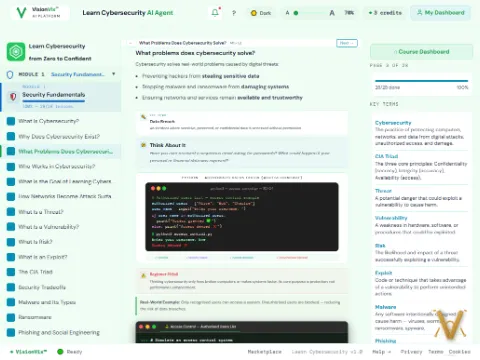
Learn CybersecuritySecurity
Learn Cybersecurity
Practitioner alignment, rules of engagement, and core security fundamentals.
38 lessons11 quizzes
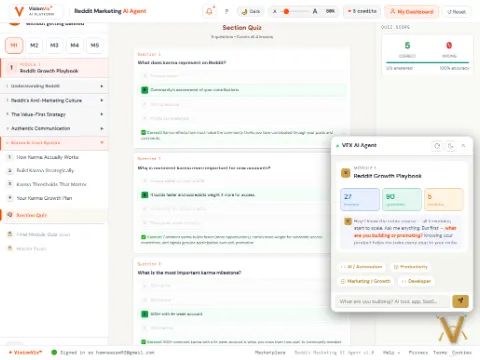
Learn RedditGrowth
Learn Reddit
Zero karma to recognized community member — subreddit strategy and posting cadence.
21 lessons7 quizzes
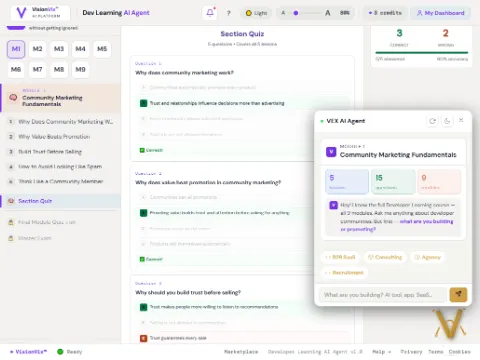
Developer PlatformsDev
Developer Platforms
Next.js, Vercel, Supabase, and the full VisionVix deploy pipeline end to end.
45 lessons14 quizzes
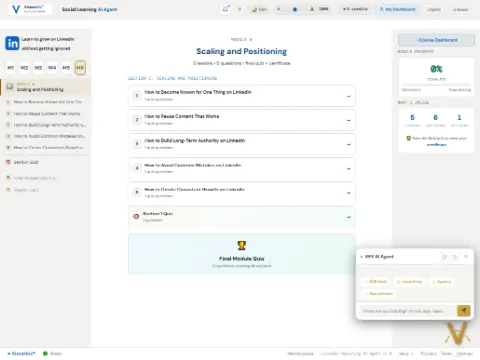
Learn LinkedIn MarketingOutreach
Learn LinkedIn Marketing
Sales Navigator prospecting, client audits, and outreach messages that get replies.
26 lessons8 quizzes
Learn X MarketingOutreach
Learn X Marketing
Building an audience, thread strategy, and organic growth on X.
24 lessons7 quizzes
Next.js Site to LocalhostDev Setup
Dev Setup

Step by Step — Next.js Site to Localhost

Run your project on your machine at localhost:3000.

Step 1

Delete the Old Folder

Find old my-app folder, right-click, delete. First time? Skip to Step 2.

Starting fresh avoids node_modules version conflicts.
Step 2

Unzip the New File

Find my-app.zip in Downloads, right-click, Extract All.

my-app
Downloadsmy-app
Quick Access
⭐ Desktop
📥 Downloads
Name
components
pages
public
next.config.js
package.json
README.md
🔍📁
10:32 AM
3/31/2026
Step 3

Open PowerShell in the Folder

Right-click on empty space inside the folder.

Win 11: Right-click → "Open in Terminal"
Win 10: Shift+Right-click → "Open PowerShell window here"
Step 4

Install Dependencies

Run npm install and wait 1-2 minutes.

PSPowerShell
+
PS C:\Users\You\Downloads\my-app> npm installnpm warn deprecated rimraf@3.0.2added 327 packages in 45s
🔍
10:33 AM
3/31/2026
Step 5

Start the Dev Server

Run npm run dev.

PSPowerShell
+
PS> npm run dev ▲ Next.js 14.2.5 - Local: http://localhost:3000 ✓ Ready in 3.2s
🔍
10:34 AM
3/31/2026
Keep this terminal open! Closing kills the server.
Step 6

Open Your Site

Browser → http://localhost:3000

Every code change auto-refreshes. Ctrl+C stops the server.

Quick Reference

npm installDownload deps (first time)
npm run devStart dev server
Ctrl + CStop server
npx kill-port 3000Force kill port
{}
VEX AI Tool
Clean Up Your Config Files
Messy package.json or config file? The JSON Generator AI Agent formats, validates, and fixes it in seconds.
Try it →
Install Python on WindowsDev Setup
Dev Setup

Step by Step — Install Python

From zero to python --version working in PowerShell.

Step 1

Check if Python is Installed

PSPowerShell
+
PS C:\Users\You> python --versionPython was not found; run without arguments to installfrom the Microsoft Store...
🔍
10:15 AM
3/31/2026
If you see this error, Python isn't installed yet.
Step 2

Download Python

Go to python.org/downloads and click the big yellow Download Python 3.13 button.

Download the installer (.exe) to your Downloads folder.
Step 3

Run the Installer

CRITICAL — Check the box: "Add python.exe to PATH" before clicking Install!

Without PATH, PowerShell won't find Python. This is the #1 beginner mistake.

Step 4

Verify Installation

Close and reopen PowerShell, then check:

PSPowerShell
+
PS C:\Users\You> python --versionPython 3.13.0PS C:\Users\You> pip --versionpip 24.2 from C:\...\pip (python 3.13)
🔍
10:20 AM
3/31/2026

Quick Reference

python --versionCheck Python
pip --versionCheck pip
pip install packageInstall package
python script.pyRun a script
</>
VEX AI Tool
Start Coding in the HTML Editor
No install needed — write, preview, and scan your code in the browser with the HTML Editor AI Agent, SEO and security checks built in.
Try it →
Update GitHub SitesDeployment
Deployment

Step by Step — Update GitHub Sites

Quick fix (edit on GitHub) or full rebuild (local push).

Quick Fix

Edit page.tsx on GitHub

Go to the file on GitHub, click the pencil icon, Select All, Delete, Paste new, Commit.

Vercel auto-deploys on commit. Site updates in ~30 seconds.
Step 1

Replace the Old Folder

Delete old folder. Extract new zip. Rename to my-app.

Step 2

Install & Run

PSPowerShell
+
PS> npm installadded 327 packages in 45sPS> npm run dev -- -p 3001 ✓ Ready — http://localhost:3001
🔍
10:34 AM
3/31/2026
Step 3

Test & Push

PSPowerShell
+
PS> git add .PS> git commit -m "Mobile fixes"PS> git pushmain → main
🔍
10:38 AM
3/31/2026
Fresh folder? Run git initgit add .git commitgit remote add origin URLgit push --force

Quick Reference

git add . && git commit && git pushExisting repo
git init && git push --forceFresh folder
{}
VEX AI Tool
Validate Your Deploy Config
Broken vercel.json or manifest file? The JSON Generator AI Agent formats and validates it before you push.
Try it →
Learn RedditModule 1 · Lesson 1
Understanding Reddit

What Makes Reddit Different From Other Platforms?

Reddit communities — subreddits — reward genuine participation, not marketing. Karma is earned through value, not visibility tactics, and the platform can tell the difference fast.

KEY TERM · Karma
Reddit’s reputation score, earned through upvotes on your posts and comments across the platform.
💭 Think About It
Have you ever left a subreddit within your first visit because a post felt like an ad?
Karma Milestones
Week 1–2Lurk + leave genuine comments (no posts yet)
Week 3–4First text posts, no links
Month 3+Recognized member — links and self-promo allowed
⚠ Beginner Pitfall
Posting your product link in your first comment. This gets you banned or silently removed by AutoModerator on most subreddits — and you often won’t even know it happened.
Real-World Example
Accounts that lurk and comment genuinely for two weeks before ever posting tend to see far higher engagement than accounts that post immediately.

PRACTICEScope Out a Subreddit

Pick one subreddit in your niche and prepare before you ever post.

1Find a subreddit with 10k–500k members in your niche
2Read the sidebar/rules — note if links or self-promo are banned
3Leave 3 genuinely helpful comments before posting anything
Verify: You can name one rule from a real subreddit that would get a promotional post removed.

💭 Quick Check · Question 1

What should you do before posting anything promotional on a new subreddit?

APost immediately to get ahead of the trend
BRead the rules and build karma through comments first
CDM the moderators asking to promote
DUse a bot to auto-post
🔒
Full Course · 21 Lessons · 7 Quizzes
Continue Learning Reddit
This is a preview of Lesson 1. Pick up the full course — subreddit strategy, posting cadence, and scaling from zero karma — on the Reddit Marketing AI Agent.
Continue →
Learn CybersecurityModule 1 · Lesson 1
Security Fundamentals

What Is Cybersecurity?

Cybersecurity focuses on protection. It protects computers, networks, and information from unauthorized access, misuse, or damage.

Attacks try to steal data, disrupt services, or take control of systems. Cybersecurity reduces these risks using rules, tools, and safe practices.

KEY TERM · Cyber Attack
An attempt to access, damage, or disrupt a computer system or data without permission.
💭 Think About It
What personal information do you use online every day? What could happen if it was stolen?
python3 — cybersecurity_lesson.py — 80×24
# Basic login check — cybersecurity example
stored_password = "Secure123"
user_input = input("Enter password: ")
if user_input == stored_password:
   print("Access granted ✅")
else:
   print("Access denied ❌")
$ python3 cybersecurity_lesson.py
Enter password:
✓ Stored password✓ User input✓ Identity check (if/else)✓ Access decision
⚠ Beginner Pitfall
Thinking cybersecurity only means hacking. Most cybersecurity work involves prevention, monitoring, and response — not breaking into systems.
Real-World Example
Every time you log into a website, cybersecurity is at work — checking your password, encrypting your data, and deciding whether to grant or block access.

PRACTICEObserve Security Around You

Look at your digital life and identify where cybersecurity is already protecting you.

1Open any app or website you use daily
2Find one security feature: a password, a 2FA code, a lock icon in the browser
3Write down what it's protecting and what would happen without it
Verify: You can name one specific security control in your daily life and explain what it prevents.

💭 Quick Check · Question 1

What is the main goal of cybersecurity?

ATo build faster computers
BTo protect systems and data from attacks
CTo replace programmers
DTo design hardware
🔒
Full Course · 38 Lessons · 11 Quizzes
Continue Learning Cybersecurity
This is a preview of Lesson 1. Pick up the full course — all 28 lessons in Module 1 plus the rest of the track — on the Learn Cybersecurity AI Agent.
Continue →
Developer PlatformsModule 1 · Lesson 1
Platform Fundamentals

What Are Developer Platforms?

Developer platforms are the tools and services that take your code from your laptop to a live URL — hosting, databases, and deployment pipelines, all working together.

KEY TERM · Deployment
The process of publishing your code so it’s live and accessible on the internet.
💭 Think About It
What happens to your app after you run npm run build? Where does it actually end up running?
$ TERMINAL
$ git push origin main
Enumerating objects: 12, done.
$ vercel --prod
Building…
✓ Deployment ready: visionvix.app
⚠ Beginner Pitfall
Thinking "deploying" just means uploading files. Modern platforms rebuild, optimize, and route traffic automatically — most failures come from environment variables, not the code itself.
Real-World Example
Every time you push to GitHub with Vercel connected, a new deployment builds automatically and gets its own preview URL before it ever touches production.

PRACTICETrace a Deployment

Look at a site you use daily and find evidence of its deployment platform.

1Open a site you use often and view its response headers (Network tab)
2Look for a platform signature: x-vercel-id, server: cloudflare, etc.
3Write down which platform is likely hosting it and why you think so
Verify: You can name one header or clue that reveals which platform is hosting a live site.

💭 Quick Check · Question 1

What does a deployment pipeline typically do first?

ADelete your code
BInstall dependencies and build your project
CEmail your users
DChange your password
🔒
Full Course · 45 Lessons · 14 Quizzes
Continue Developer Platforms
This is a preview of Lesson 1. Pick up the full course — Next.js, Vercel, Supabase, and the full VisionVix deploy pipeline — on the Developer Learning AI Agent.
Continue →
Learn LinkedIn MarketingModule 4 · Lesson 1
Scaling and Positioning

How Should You Introduce Your Product on LinkedIn?

People are more likely to engage with your product when they trust you. By consistently providing value first, you build credibility. Once trust is established, introducing your product feels natural, not forced.

KEY TERM · Positioning
Owning a narrow, recognizable space in your audience’s mind so they know exactly what you do.
💭 Think About It
If a stranger read your last 5 LinkedIn posts, could they tell you what you do in one sentence?
Module 4 · Scaling and Positioning
01How to Become Known for One Thing on LinkedIn
02How to Reuse Content That Works
03How to Build Long-Term Authority on LinkedIn
04How to Avoid Common Mistakes on LinkedIn
⚠ Beginner Pitfall
Posting about everything to seem well-rounded. It just confuses the algorithm and your audience about what you’re actually known for.
Real-World Example
Creators who post about one repeated theme get recommended to more of the right audience over time, because LinkedIn’s algorithm learns the pattern faster.

PRACTICEAudit Your Last 5 Posts

Check whether your recent posts build one clear position or scatter across many topics.

1Pull up your last 5 LinkedIn posts
2Write one word for the main topic of each
3Count how many different topics you covered — fewer is better
Verify: You can name the one topic you want to be known for on LinkedIn.

💭 Quick Check · Question 1

What’s the fastest way to get ignored on LinkedIn?

APost about one clear topic consistently
BPost about everything, all the time
CEngage with comments
DShare client results
🔒
Full Course · 26 Lessons · 8 Quizzes
Continue Learning LinkedIn Marketing
This is a preview of Lesson 1. Pick up the full course — Sales Navigator prospecting, client audits, and outreach that gets replies — on the Social Learning AI Agent.
Continue →
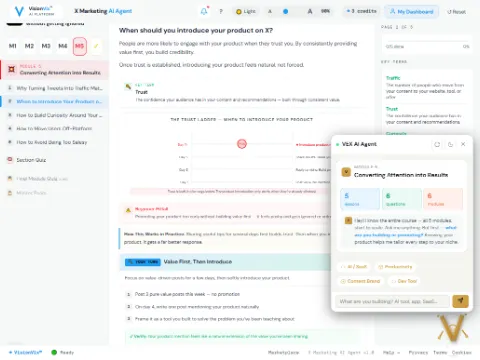
Learn X MarketingModule 1 · Lesson 1
Building Trust

When Should You Introduce Your Product on X?

People are more likely to engage with your product when they trust you. By consistently providing value first, you build credibility. Once trust is established, introducing your product feels natural, not forced.

KEY TERM · Trust Ladder
The idea that audiences move through stages — attention, then trust, then consideration — before they’re ready to buy.
💭 Think About It
Would a stranger trust a product recommendation from you today, based only on your last 10 posts?
Value-First Posting Pattern
1Pure value post (no promotion)
2Pure value post (no promotion)
3Then introduce your product, once trust exists
⚠ Beginner Pitfall
Promoting your product too early, before trust is built. It reads as forced and gets ignored or muted.
Real-World Example
Accounts that post two helpful, value-first posts for every one promotional post tend to keep followers engaged instead of losing them.

PRACTICECheck Your Value-to-Promo Ratio

Look at your last 10 posts on X and see how many were pure value versus promotion.

1Pull up your last 10 posts on X
2Mark each one as "value" or "promo"
3Aim for at least 2 value posts for every 1 promotional post
Verify: You can state your current value-to-promo ratio and whether it needs adjusting.

💭 Quick Check · Question 1

When should you introduce your product on X?

AImmediately, in your first post
BAfter trust is established through consistent value
CNever mention it
DOnly in DMs
🔒
Full Course · 24 Lessons · 7 Quizzes
Continue Learning X Marketing
This is a preview of Lesson 1. Pick up the full course — audience building and thread strategy for organic growth — on the X Marketing AI Agent.
Continue →
ComplianceGDPR · Privacy🔒 SSL Secured🛡️ CSP ProtectedMCP · AI Agent Ready◇ Built with websitegenerator.dev